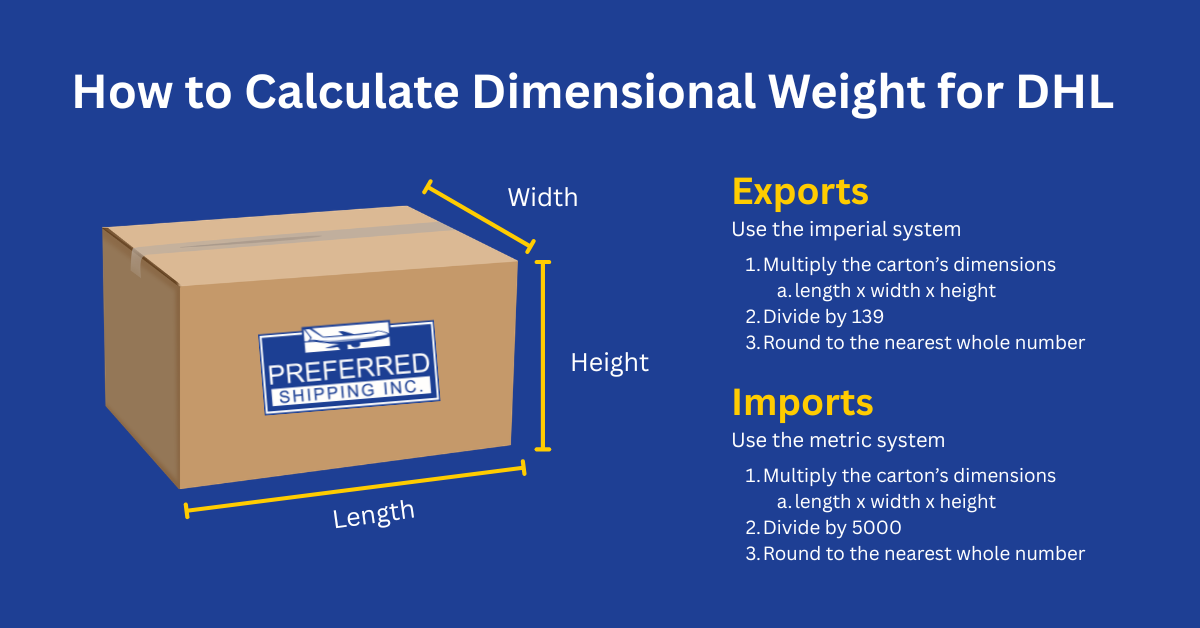
Dimensional weight (commonly called “dim weight”) is used in shipping to determine the cubic space a package occupies in a plane. A carrier will charge the actual weight OR the proportionate amount of space taken in the plane—whichever is greater—and call it the “chargeable weight.” This is a standard in the shipping industry, although details may vary based on the type of shipment being made (international, ground, etc.) and the carrier that’s being used.
EXPORTS
To get the dim weight for a DHL export, use inches and pounds:
- Multiply the length, width, and height of the package in inches.
- Divide that total by 139 (the standard divisor for express carriers on international shipments).
- Round to the nearest whole number, and you have the dim weight in pounds.
An example: Let’s say a box is 10x10x20 in and weighs 20 lbs.
- Multiply the dimensions together to get 2,000.
- Divide by 139 to get 14.4, which rounds down to 14.
- That means the dim weight for this shipment is 14lbs. Because the actual weight is 20 lbs., you will be charged for 20 lbs. on this shipment because it is the greater of the two (dim weight vs. actual weight), making 20 lbs. the chargeable weight.
IMPORTS
To get the dim weight for a DHL import, use the metric system:
- Multiply the length, width, and height of the package in centimeters.
- Divide that total by 5000 (the standard divisor for express carriers on international shipments).
- Round to the nearest whole number, and you have the dim weight in kilograms.
An example: Let’s say a box is 35x35x50 cm and weighs 10 kg.
- Multiply the dimensions together to get 61,250.
- Divide by 5,000 to get 12.3, which rounds down to 12 kg.
- Since the actual weight is only 10 kg, you will be charged the dim weight of 12 kg for this shipment because it is the greater of the two (dim weight vs. actual weight), making 12 kg the chargeable weight.
PSCShip, our proprietary software system, is built to automatically convert pounds and inches to an export dim weight in pounds and to convert kilograms and centimeters to an import dim weight in kilograms. So, when you create a shipment or get a rate estimate, the system will do this math for you and get you a rate based on the chargeable weight for that shipment.
DHL rounds to the nearest whole number (up or down), but note that all other carriers will round UP the dimensions and the weight. This means that if one side of a box is slightly over 10 inches, other carriers will round it up to 11 inches. If a box bows out due to the contents, DHL will count how far out the box bends when it measures the dimensions. Be sure to keep that in mind when you are measuring the dim weight of a shipment.
One benefit of dimensional weight is that you may have extra weight you can add to the shipment. For example, if a shipment weighs 20 lbs. and the dim weight is 25 lbs., you can add more weight to the shipment up to 25 lbs. for the same price. You will want to make sure that anything you add is declared on the Commercial Invoice to avoid problems with customs on the receiving end.
Save or print this image for quick reference when your calculating dimensional weight.